
How to find the right toner cartridge for your printer
The right toner starts with two codes: your exact printer model and your cartridge part number. Here is where to find both.
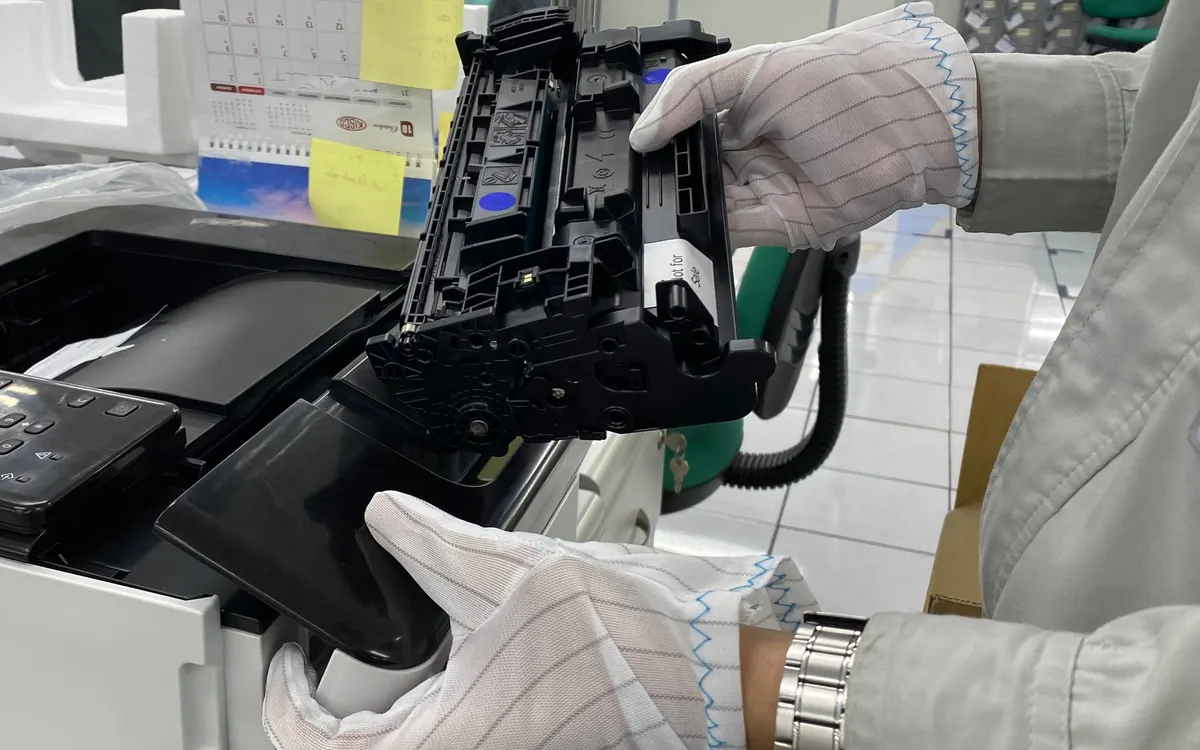
Start with your exact printer model, printed on the front panel or a rear label. Then read the part number on your old cartridge, the supplies screen or the manual. Order by that part number, not by series or brand name. Check the yield size and color before you buy.
Why does the exact printer model matter?
Printers in one series share a name but not always a cartridge. A cartridge for a nearby model may not fit, or the printer may not recognize it.
Write down the full model, including every letter after the number. “LaserJet Pro” or “imageCLASS” alone covers many printers with different cartridges.
Where is the model number on a printer?
Look at the front or top panel first. Most office laser printers print the model name there.
-
The label on the back or underside, near the serial number.
-
A configuration or status page printed from the printer’s menu.
-
The settings or about screen, on printers with a display.
-
The original box or the user manual.
Where is the toner cartridge number?
| Where to look | What you will find |
|---|---|
| The old cartridge | The part number on its label. This is the fastest source. |
| The printer’s supplies screen | The cartridge name or number, on most office printers. |
| A supplies status page | The installed cartridge and its level, printed from the menu. |
| The user manual | Every cartridge the printer accepts, in the supplies section. |
Is the cartridge number the same as the part number?
Not always. Some brands print two codes on one cartridge. HP lists a short cartridge number, such as 81A, and a longer part number, such as CF281A.
Compatible cartridges are usually listed against the part number. When you see two codes, keep both and order by the longer one.
What do the letters in a toner number mean?
Letters often show the size. HP uses “A” for standard yield and “X” for high yield, as in 81A and 81X.
HP notes that high-yield cartridges contain more toner than standard ones. Confirm your exact model accepts the high-yield size before you order it.
Are toner cartridges interchangeable between printers?
Only when the cartridge lists your model. Similar part numbers often differ in shape or chip, so a near match can fail.
Some compatible cartridges do fit several printers, even across brands. That is why matching by your printer’s part number beats guessing by brand.
What else should you check before you order?
-
Color. Color laser printers use black, cyan, magenta and yellow. Each color has its own part number.
-
Toner or drum. Brother explains that the toner cartridge and drum unit are different consumables. Order the part your printer asks for.
-
Chip checks. Some newer printers only accept cartridges with the brand’s chip. Ask how a cartridge is chipped first.
How do you track toner for many printers?
-
Walk the office and note each printer’s full model.
-
Add the part number for each cartridge, including every color.
-
Note which printers run the most pages each month.
-
Keep the list where the whole team can find it, and update it when printers change.